Journal
Test a creator kit before you build the full range
Run a small observed pilot, record assistance honestly and turn each obstacle into a specific product or instruction repair.
A kit can look complete on a product page and still leave its first user stuck at the opening step. Testing it means watching someone use the actual parts, files and instructions to complete a real task. A small pilot helps reveal problems while the package is still easy to change. It is a learning exercise, not proof that a whole market will buy.
Define one observable task
Start with a sentence describing what the participant should finish. For a recording package, that might be “Record and play back a two-minute seated explanation using the supplied microphone and light.” For a digital pack, it could be “Prepare a completed episode handoff from the supplied sample files.” Avoid a task such as “Explore the kit.” Exploration can reveal reactions, but it does not give you a clear point at which to observe success or difficulty.
Write the starting conditions next. Specify what the user already has, what is included and what is deliberately outside the test. A hardware package may require a compatible computer and enough desk space. A download may require an account or a particular application. If the starting conditions are unclear, a failed attempt can be hard to interpret: was the kit unsuitable, was the participant outside the intended audience, or was the prerequisite never explained?
Recruit for the actual starting point
Five participants can provide a manageable first pilot when the aim is to observe specific usability problems. That number is a practical scope choice, not a statistical claim. Choose people whose experience and equipment resemble the intended first customers. If the offer is for first-time lesson recorders, a group of professional video technicians may breeze past instructions that a beginner would need.
Ask a few screening questions before scheduling. What have they recorded before? Which computer or software would they use? Where would they set up? Have they used the proposed components or file types? Keep these questions focused on fit. You do not need a long personal profile to learn whether the kit’s assumptions match the person who will try it.
Prepare the same materials each time
Use the exact version of the kit you intend to evaluate. Keep a copy of the instructions, a component list and a version identifier. Reset physical equipment between sessions and provide a clean copy of digital files. If you improve the instructions halfway through the pilot, record the change and identify which participants saw each version. Otherwise, a summary can accidentally treat different products as one consistent test.
Make a scorecard with fields for the task, starting conditions, participant code, version, start and finish, help requested, observed obstacle and final result. Use participant codes instead of unnecessary personal details. Leave space for the observer’s action as well. A participant who finished after being shown the right setting did not complete the same independent task as someone who found it alone.
Observe before explaining
Introduce the session in plain terms. Explain that the kit is being tested and that getting stuck is useful information. Ask the participant to describe what they are trying to do when that feels natural, without turning every action into a narrated performance. Avoid leading prompts such as “Did you see the start guide?” A neutral “What would you do next?” is more useful when someone pauses.
Decide in advance when to intervene. For a short recording task, you might wait through a pause, ask the neutral question, then offer help if the person cannot proceed. Record exactly what the help was. Stop if a situation could damage equipment or create another concrete problem. An observation plan should support the participant, not force them to struggle for the sake of a clean measurement.
Work through a recording example
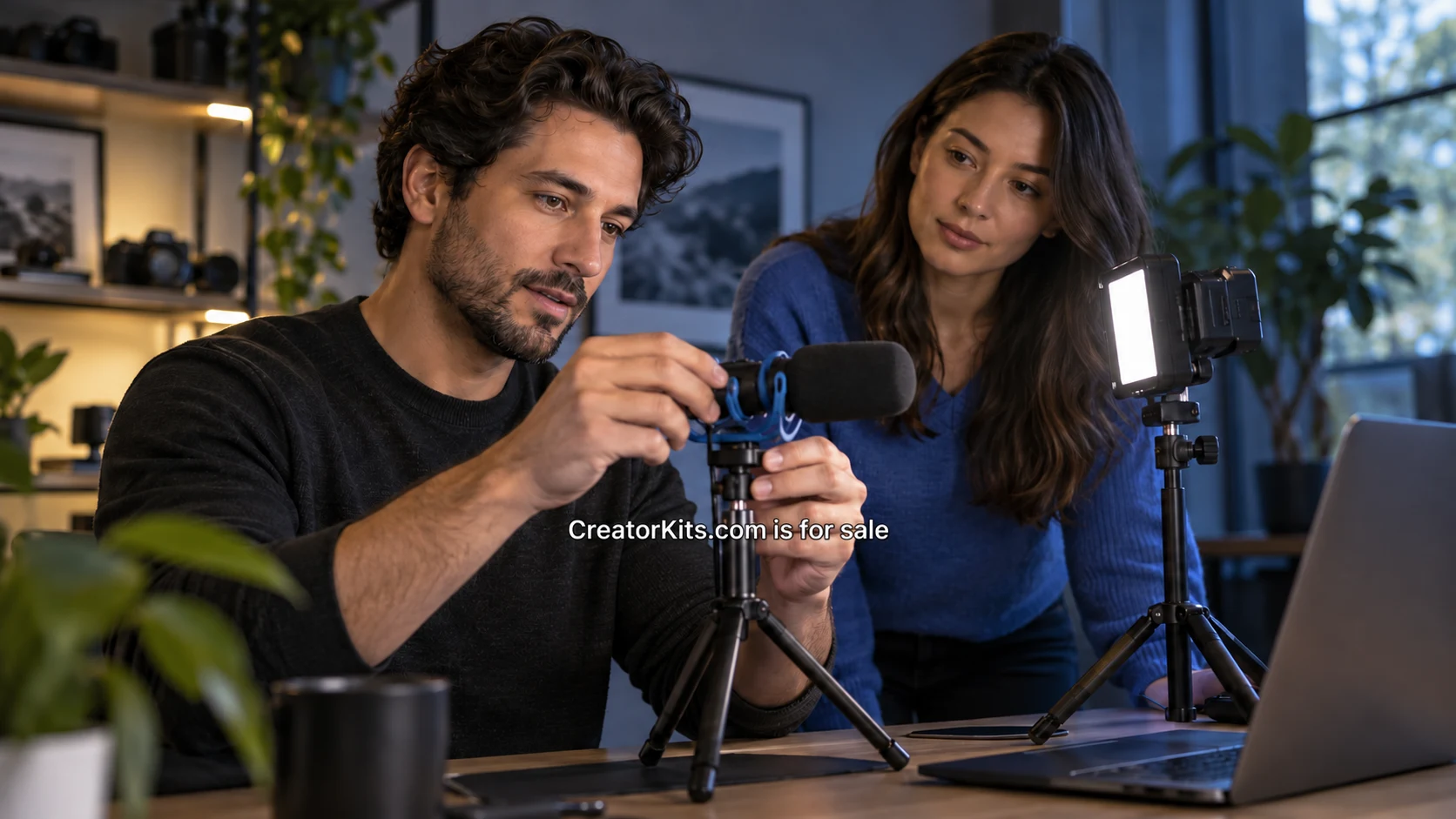
Suppose the kit contains a microphone, stand, light and setup card. Participant A assembles it, records two minutes and plays the clip back without assistance. Participant B connects the microphone but records the laptop’s built-in audio. Participant C cannot place the stand on their desk. Participant D finishes after asking which cable to use. Participant E records successfully but cannot find the saved file.
Those five outcomes point to different repairs. The wrong audio input suggests a verification step. The stand problem may require a product or audience change. The cable question could need clearer labeling. The saved-file issue belongs in the finish sequence. Collapsing every difficulty into “setup confusion” would lose the information needed to improve the package. Keep the observation and your interpretation in separate columns.
The OBS quick-start guide provides a relevant example of software setup ending with a short test recording. Refer to maintained documentation for platform details, then test the actual instructions and hardware in your package. Do not copy a software guide and assume the complete kit has been validated. A microphone selection step may be correct in general while still being unclear to the intended user.
Classify the problem before choosing a fix
Use a small set of categories: missing prerequisite, physical compatibility, file access, unclear instruction, failed handoff and unexpected result. Allow more than one category when the evidence supports it. A participant might be unable to open a file because access is restricted and the start page fails to explain whom to contact. One problem sits in the account configuration; the other sits in the instructions.
For a shared-file kit, compare the observed access problem with the official Drive permission guidance. Then inspect the actual role and parent folder settings. A link opening successfully for the owner is weak evidence for a new user’s experience. Test with the intended access level and note any organization restrictions. The pilot should expose those assumptions before they appear in customer support requests.
Decide what must change before release
Prioritize problems that prevent the core task or misrepresent what the package includes. Missing required adapters, unusable files and unclear final approval should be addressed before cosmetic refinements. Frequency matters, but a single serious mismatch can justify a change. Three comments about a cover color do not outweigh one discovery that the promised file cannot be opened in a supported application.
Write the repair as a specific action with an owner. “Improve instructions” is vague. “Add a playback step after microphone selection and show how to identify the intended input” can be implemented and checked. For a hardware fit issue, the action may be to change a component, narrow the stated prerequisites or create a separate package. Do not hide a product limitation in a longer troubleshooting document when it belongs on the offer page.
Retest the changed part
After a repair, repeat the affected task with an appropriate fresh user when possible. Someone who has already learned the route may no longer reveal whether the new instruction works on a first attempt. You do not need to restart every unrelated part of the pilot, but you do need evidence that the changed step resolves the observed problem under the intended conditions.
Close the pilot with a short decision record: what was tested, which version, who the participants represented, what failed, what changed and what remains unknown. Keep demand, pricing and broader market questions separate. A useful kit still needs a viable business around it. The immediate next step is simpler: run one five-person task, preserve the observations and fix the first obstacle that prevents a new user from finishing.
A name for what comes next
Make CreatorKits.com your next move.
Explore an acquisition or discuss a partnership.